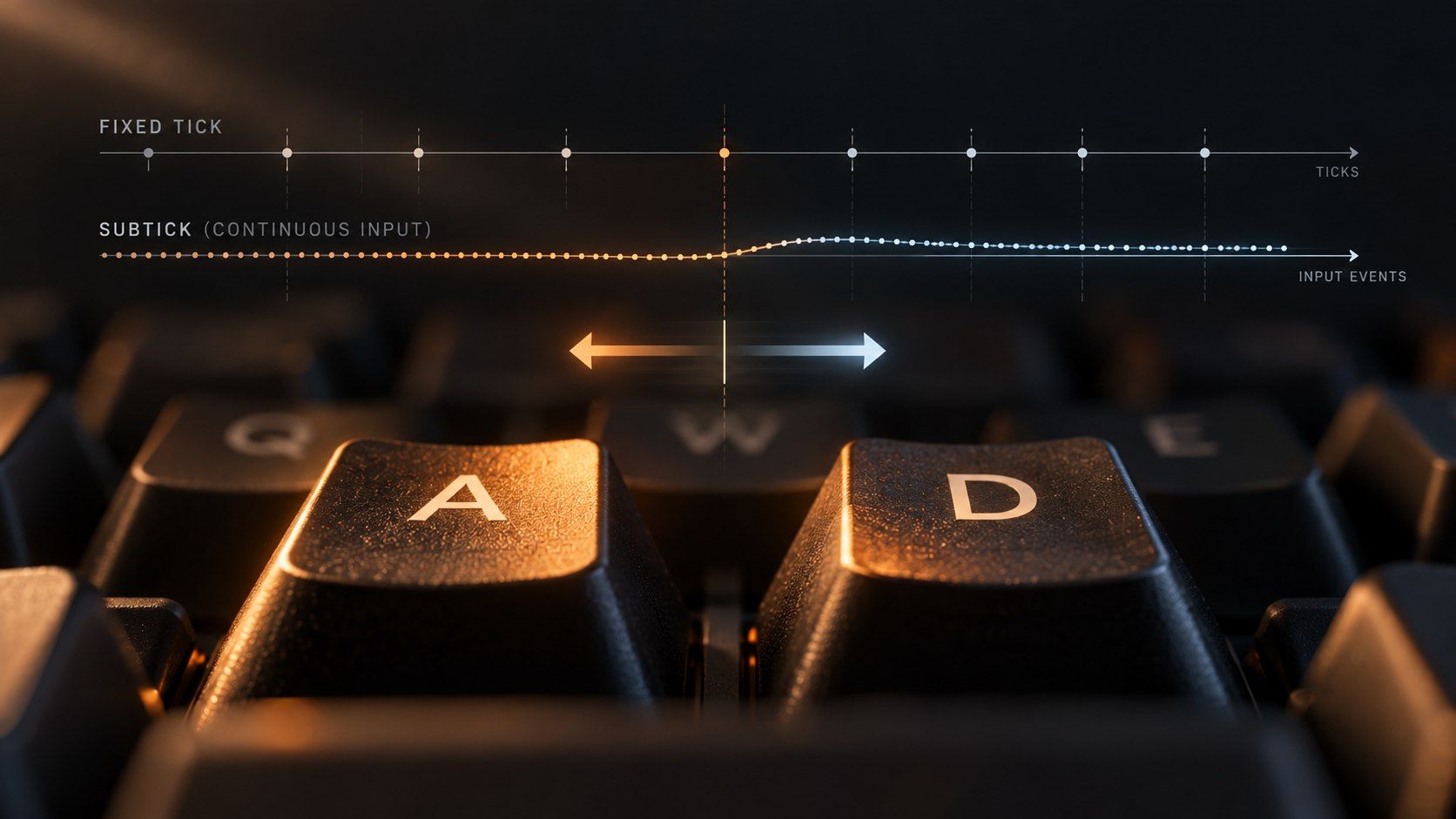
Transitioning to Counter-Strike 2 introduced a fundamental shift in how player inputs are captured and processed. Instead of waiting for the next discrete server tick to register movement or firing actions, the engine timestamps exact micro-actions between ticks. This architectural change, known as subtick architecture, was designed to eliminate the quantization delays inherent in traditional tick-rate systems.
However, this precision changes the traditional muscle memory built over years of playing earlier titles. Counter-strafing—the core mechanic used to halt momentum instantly by tapping the opposite movement key—relies heavily on exact input synchronization. Understanding how subtick timing interprets these quick directional shifts helps explain why movement can sometimes feel slightly different or floating compared to older fixed-rate environments.
Understanding Traditional Tick Rate Versus Subtick Mechanics
In legacy matchmaking environments operating on fixed tick intervals, the game state updated at rigid checkpoints, typically every few milliseconds. If a player pressed a movement key between ticks, the action was queued until the next tick boundary processed the command. This created a minor input quantization window where simultaneous actions might batch together.
Subtick architecture removes this rigid queue by attaching an exact timestamp to every keypress or mouse event. When you tap an opposite direction key to counter-strafe, the server receives the precise moment your finger initiated the action. While this makes registration fairer and more continuous, it also means that sloppy or delayed second key presses cannot rely on tick grouping to mask minor timing discrepancies.
Why Counter-Strafing Precision Matters in Matchplay
Counter-strafing is essential for achieving complete accuracy the moment a player stops moving. If the opposing movement key is pressed too early, the player drifts in the opposite direction; if pressed too late, accuracy recovers slowly as momentum naturally decays. In competitive scenarios, even a fraction of a second of extra movement inaccuracy can mean the difference between winning a duel and losing.
Subtick timestamping ensures your movement commands are marked by exact input timing rather than waiting for the next server tick.
How Input Windows Shift Under Continuous Registration
Because inputs are recorded with high-resolution timestamps, the game engine calculates velocity deceleration based on the precise duration of opposing key overlap. Players often report that movement feels more responsive, yet inconsistencies can arise if hardware polling rates or frame rates stutter. When input polling is mismatched with continuous server-side evaluation, the perceived smoothness of the stop can fluctuate.
Common Timing Adjustments for Players
Adapting to subtick movement often requires refining keyboard discipline rather than changing overall technique. Players who rely heavily on subconscious rhythm may notice that minor keyboard latency or variable frame rates impact their stopping consistency more noticeably than before. For a broader look at how technical experiments and developer projects are approached, you can visit our overview page.
Evaluating Movement Consistency Options
Players troubleshooting their movement feel typically look at several variables, from hardware response times to server connection quality. Since subtick relies heavily on accurate client-to-server communication, packet loss can occasionally disrupt the expected deceleration curve. Ensuring consistent frame pacing is another practical step to make input registration feel predictable during intense gunfights.
Steps to Optimize Input Consistency
- Check Peripheral Settings
Verify that your hardware peripherals are configured to high polling rates without software conflict.
- Monitor Network Stability
Monitor your network connection for stability and minimal packet loss during matches.
- Practice Offline
Practice movement drills in controlled offline servers to isolate physical timing from server jitter.
Frequently Asked Questions
What is the main difference between subtick and fixed tick rates?
Subtick records the exact timestamp of an action between server ticks, whereas traditional tick rates only processed inputs at fixed intervals.
Does subtick change the required timing for counter-strafing?
Yes, because inputs are evaluated continuously, minor inconsistencies in your physical key release timing or hardware latency become more noticeable.
What can I do to improve input consistency in CS2?
Stable frame rates, low ping, and high peripheral polling rates help ensure that your movement inputs register precisely as intended.